 Blender Studioby Nawwa.4X
Your ideas.
Your Blender.
Create and refine 3D scenes through conversation, in the Blender running on your own computer.
v0.2.0 · Windows x64 · Guided setup · Node.js included
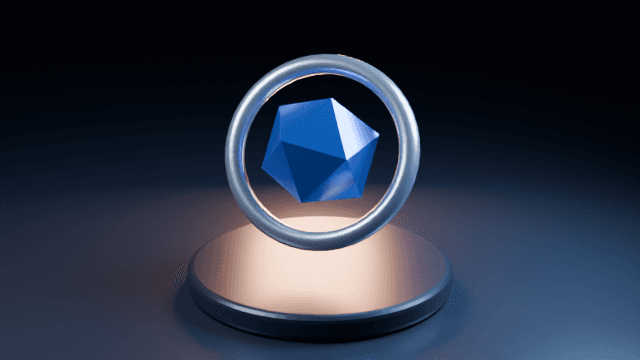
Actual output from the plugin’s technical control test.
Development preview. Download and install locally with ChatGPT desktop and local MCP access. ChatGPT web/mobile alone cannot run this package. Not yet published in the ChatGPT plugin directory.
A conversation.
A scene you can keep.
Blender Studio brings seven local tools together with artist workflows. You describe the change, inspect the result, and keep refining.
- 01
Connect your workspace
Download the Windows build and run its guided setup. Open Blender and restart ChatGPT desktop to connect.
- 02
Describe and preview
Ask for scene changes, lighting, materials, or animation. Inspect a preview before committing to the final render.
- 03
Save what you make
Keep the editable Blender project or export a GLB for the next part of your workflow.
Control, with
room to refine.
The scene stays editable. Recovery checkpoints give you a way back when an edit needs another pass.
Inspect your scene
Read objects, materials, cameras, frame ranges, and mesh information before making changes.
Make recoverable edits
Run authored Blender Python with a scene checkpoint saved before each edit.
See what changed
Capture the viewport or render a camera preview, then refine the result.
Keep the project
Save an editable .blend copy or export the active scene as a GLB asset.
Find the right workflow
Use a library of 94 specialist guides across modeling, animation, lighting, materials, and export.
See the connection
in motion.
A two-second, silent control test. The ring and core were animated in Blender, then rendered and encoded locally.
Before you
get started.
Download, extract, and run the guided Windows setup. It includes Node.js and preserves existing ChatGPT settings and Blender add-on files.
What you need
- Windows 64-bit (x64).
- Blender installed on your computer.
- ChatGPT desktop with Settings > MCP servers and local STDIO support.
- Permission to install a local bridge that runs Blender Python.
ChatGPT web/mobile alone cannot use this download. Your plan or organization may restrict local MCP access; the installer cannot unlock it. macOS and Linux guided installers are not available.
Unsigned development build. Windows or company security policies may block it; do not disable security protections.
Connect to ChatGPT
- Download the Windows ZIP and extract all files into one folder. Save your work and close Blender.
- Open Blender Studio Setup.exe. Select your blender.exe if needed, review the permissions, and click Set up ChatGPT.
- Click Open Blender. Press N in the 3D viewport, open BlenderMCP, and click Connect to MCP server if needed.
- Restart ChatGPT desktop. Check Settings > MCP servers for blender-studio-desktop, then ask: Inspect my Blender scene and show a preview.
No terminal commands or separate Node.js installation are needed. Blender and ChatGPT are not included. START-HERE.txt includes troubleshooting and removal instructions.
Advanced users: manual package (requires Node.js 20+). Official ChatGPT MCP setup
Permissions and recovery
Python edits run with the permissions of your Blender process, including file and network access. This is not a sandbox. Failed edits can leave partial changes; recovery copies must be opened manually. Keep the local bridge private and back up important work.
Scene information and previews returned to your AI host become part of that conversation. Review your host’s privacy settings before opening sensitive projects.
Release integrity and credits
Version 0.2.0. SHA-256:
15bec46b8796856438a0ddcb933ce8e58a247038b443efe74a27e707f53d367bBuilt on MCP for Blender and the Blender Skills library, with upstream license notices included in the package. See NOTICE.md for attribution and DISTRIBUTION.md for development-build use permission.
An independent integration by Nawwa.4X; not an official Blender Foundation or OpenAI product.
Questions or a rough edge?
Send the Blender Studio version, your operating system, and what you were trying to do. Leave private project files and credentials out of the first message.