 Clean Busterby Nawwa.4X
Free up space.
Know what goes.
Find the junk, huge forgotten files, and apps you no longer use, with a clear explanation of what happens before anything is deleted.
v1.0.0 · Windows 10 & 11 · Installer or portable · GPL-3.0
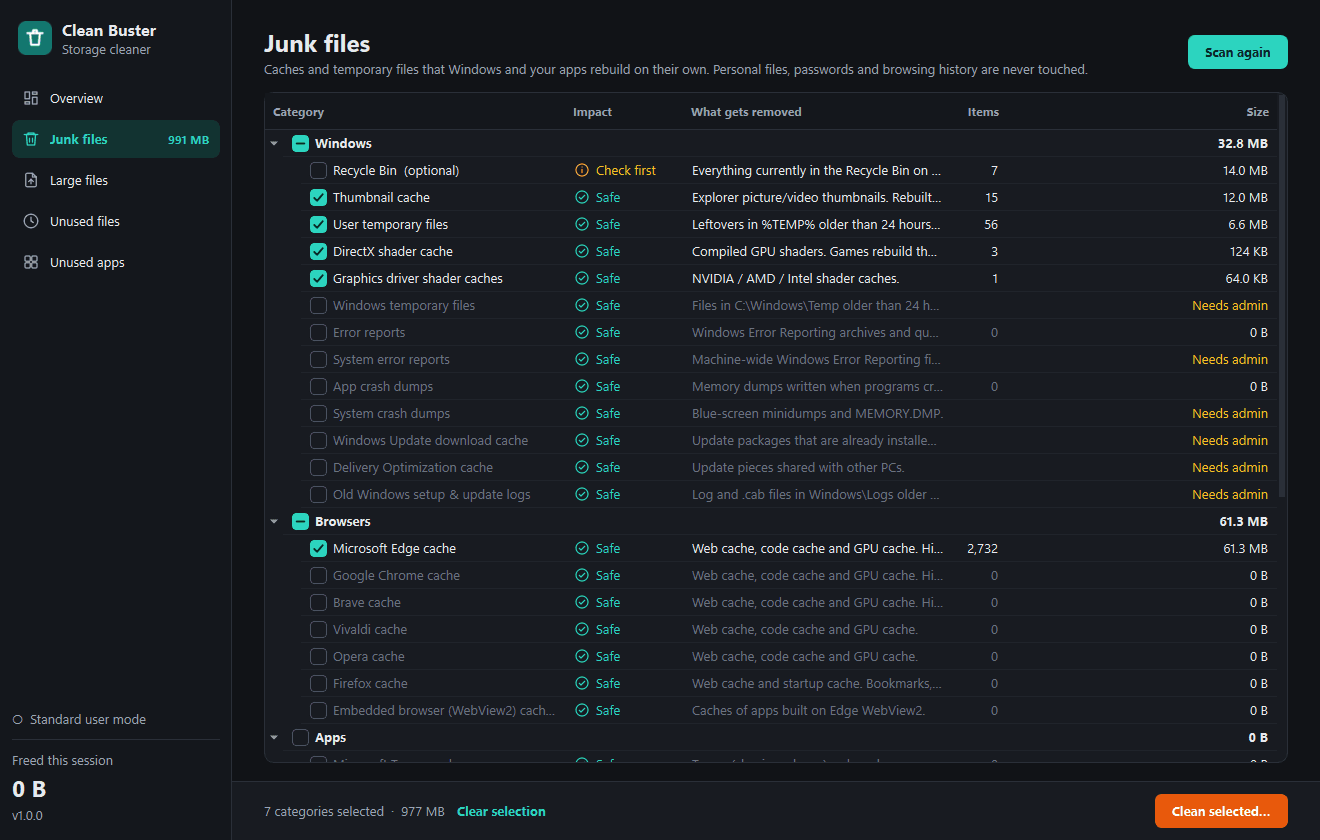
The Junk files screen, rating every cache before you clean it.
Free and open source. No ads, no account, no telemetry. Clean Buster works offline and never opens or uploads your files.
Scan, review,
then decide.
Clean Buster never deletes on its own. It shows you what it found and what removing it would mean, and waits for you.
- 01
Scan your PC
Check junk caches, the biggest files on every local drive, files you haven’t touched in months, and apps you no longer run.
- 02
Read the impact
Every item is rated Safe, Check first, or Risky. Click the rating to see what it is, which program owns it, and what would break.
- 03
Clean with confidence
Confirm the list. Your own files go to the Recycle Bin by default, and risky items need an extra “I understand.”
Four ways to
win back space.
Each scan focuses on one kind of clutter, so you can clean what matters and leave the rest.
Junk files
About 35 cache and temp locations that Windows and apps rebuild on their own: temp folders, thumbnail and shader caches, Windows Update leftovers, browser caches, Teams, Discord, Spotify, Steam, and npm, pip, and NuGet caches.
Large files
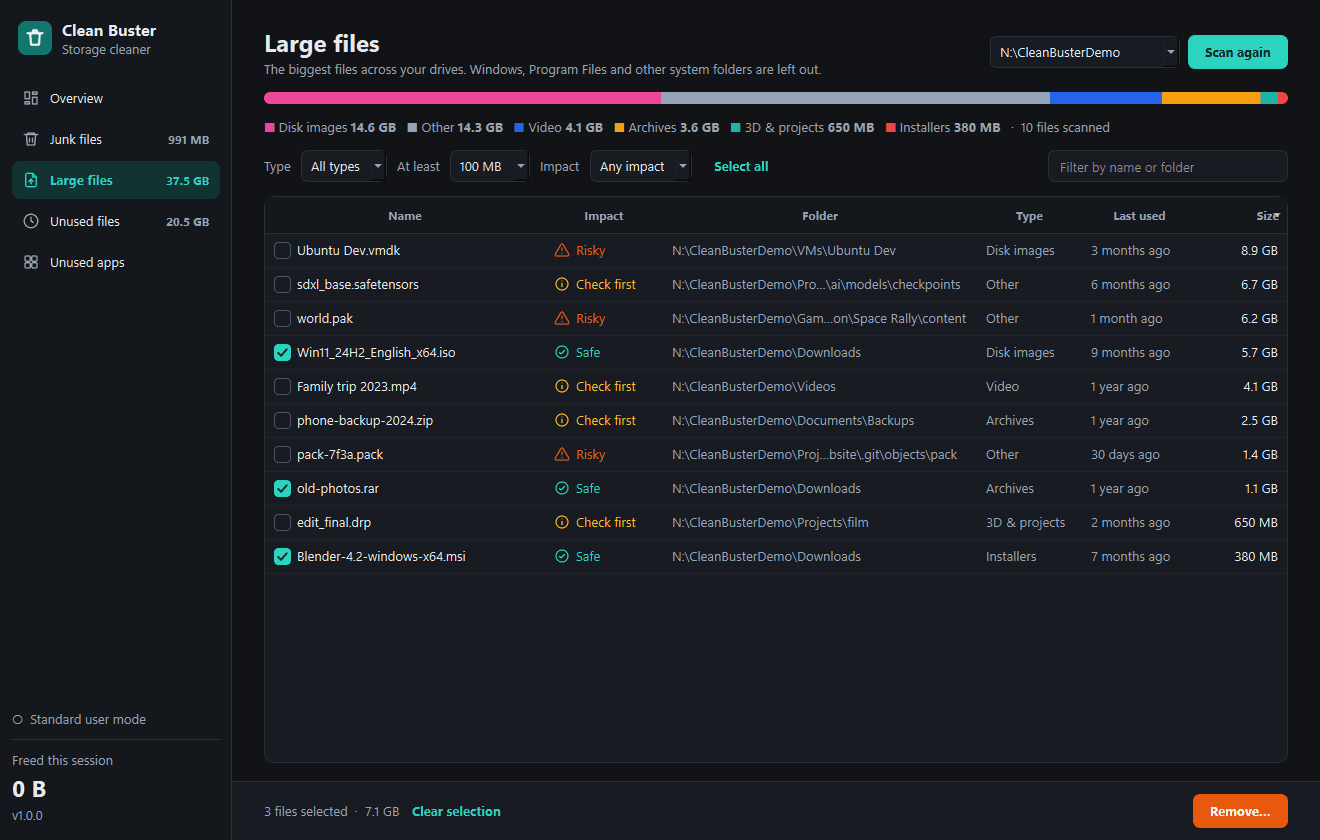
The biggest files on every local drive or one folder you choose, with a breakdown of where your space goes by type.
Unused files
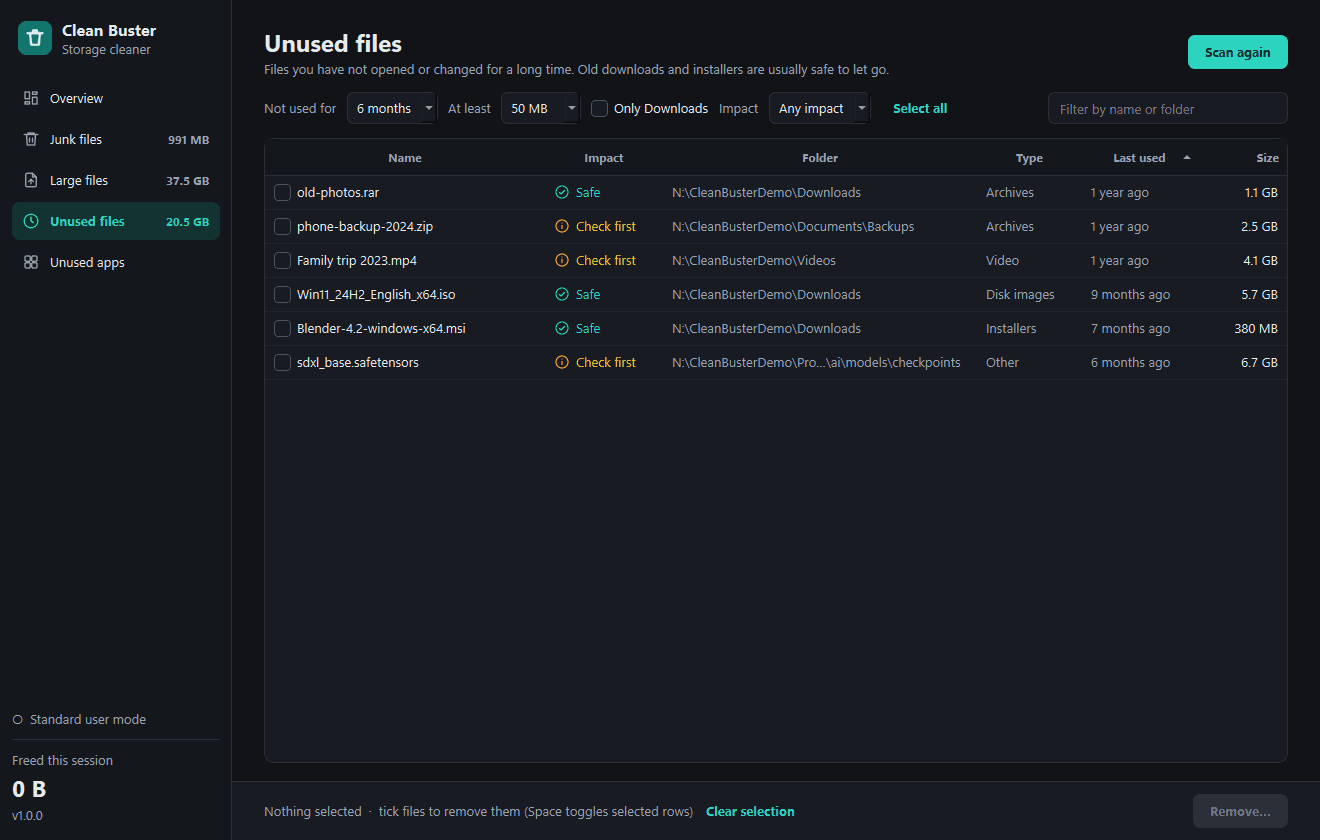
Files you haven’t opened or changed in 3 months to 2 years, with a quick “only Downloads” filter.
Unused apps
Installed programs and when you last ran them. Uninstalling opens each program’s own uninstaller.
What happens if I delete it?
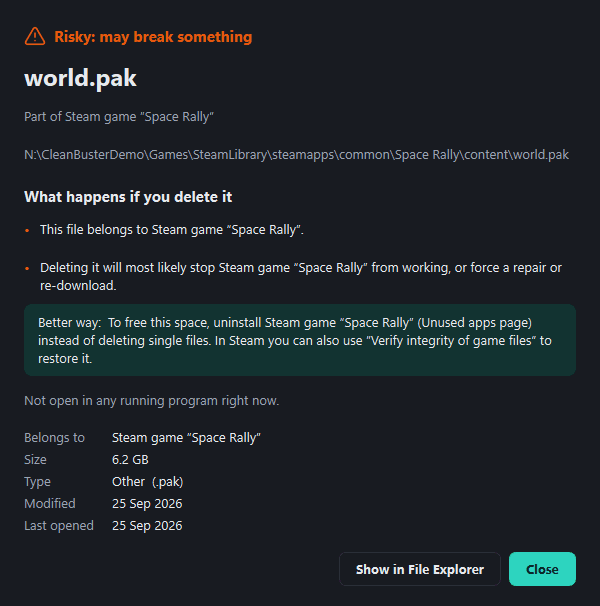
See the owning program or game, what would be lost, whether it’s open right now, a better way to free the space, and a warning for OneDrive, Google Drive, or Dropbox folders.
Guard rails built in
Windows, Program Files, the page file, and shared runtimes are never offered. Temp files younger than 24 hours are left alone, and links are never followed.
A closer look
before you clean.
Native Windows app with light and dark themes. Every list shows size, impact, and what removal means.
Before you
get started.
Download the installer or the portable version from itch.io. No account or internet connection is needed to run it.
What you need
- Windows 10 or 11.
- No Python or other runtime to install; everything is bundled.
- Administrator rights only if you want to clean system caches.
Ratings are heuristics based on a file’s location, type, and owning program. Always review what you delete.
Install
- Open Clean Buster on itch.io and download the installer or the portable ZIP.
- Run
CleanBuster-Setup-1.0.0.exe, or unzip the portable version and runCleanBuster.exe. - If Windows shows “Windows protected your PC”, click More info → Run anyway. The release is signed with the project’s own certificate.
- To clean system caches too, click Restart as administrator on the Overview page.
Prefer to build it yourself? The full source, tests, and build scripts are on GitHub (Python 3.10+).
Safety and privacy
The window can only delete items its own scan found. Junk cleaning removes files inside known cache folders, never the folders themselves, and never follows junctions or symbolic links out of them.
Cloud and virtual drives are left out of all-drive scans unless you pick them. Clean Buster has no network access, accounts, or telemetry.
Release integrity and credits
Version 1.0.0. Installer SHA-256:
f4afcd753f615fa19ed8289ebc94cf1350d33244cf4b09161ba96c3c6be43f15Portable ZIP SHA-256:
f2d41fd086c31ff8e609f6bc90ffb6e9f4e5e186606911b42ba404c0878f6a88Free software under the GNU GPL v3.0. Inspired by Mole, Cleanly and the Winapp2 cleaning database. Built with PySide6 / Qt, PyInstaller and Inno Setup.
Common
questions.
Short answers about safety, cost, and what Clean Buster removes.
What is Clean Buster?
Clean Buster is a free, open-source storage cleaner for Windows 10 and 11, made by Nawod Madhuwantha (Nawwa.4X). It finds junk caches, large files, unused files and unused apps, and rates every item Safe, Check first or Risky with an explanation before you delete it.
Is Clean Buster safe to use?
Yes. Nothing is deleted until you review the list and confirm, your own files go to the Recycle Bin by default, and Windows system folders, Program Files, the page file and shared runtimes are never offered for deletion. Risky items need an extra confirmation.
Is Clean Buster free?
Yes. Clean Buster is free and open source under the GPL-3.0 license, with no ads, no account and no telemetry. You can download it from itch.io or build it from the source on GitHub.
Is Clean Buster a CCleaner alternative?
Clean Buster covers similar ground to cleaners like CCleaner, removing temp files and browser caches, and adds large-file, unused-file and unused-app scans with a plain explanation of what each deletion would do. It works offline and collects no data.
Does Clean Buster delete browser history or passwords?
No. It only clears browser caches that the browser rebuilds by itself. Bookmarks, passwords, cookies and browsing history are never touched.
Why does Windows SmartScreen warn about Clean Buster?
Releases are signed with the project’s own self-signed certificate, which SmartScreen doesn’t recognize yet. Click More info → Run anyway, and check the file against the SHA-256 checksums if you want to verify it.
More tools by Nawwa.4X
Other free tools and apps by Nawod Madhuwantha.


Found something it should clean?
Report a bug or suggest a new junk location on GitHub, or send the Clean Buster version, your Windows version, and what you saw.